

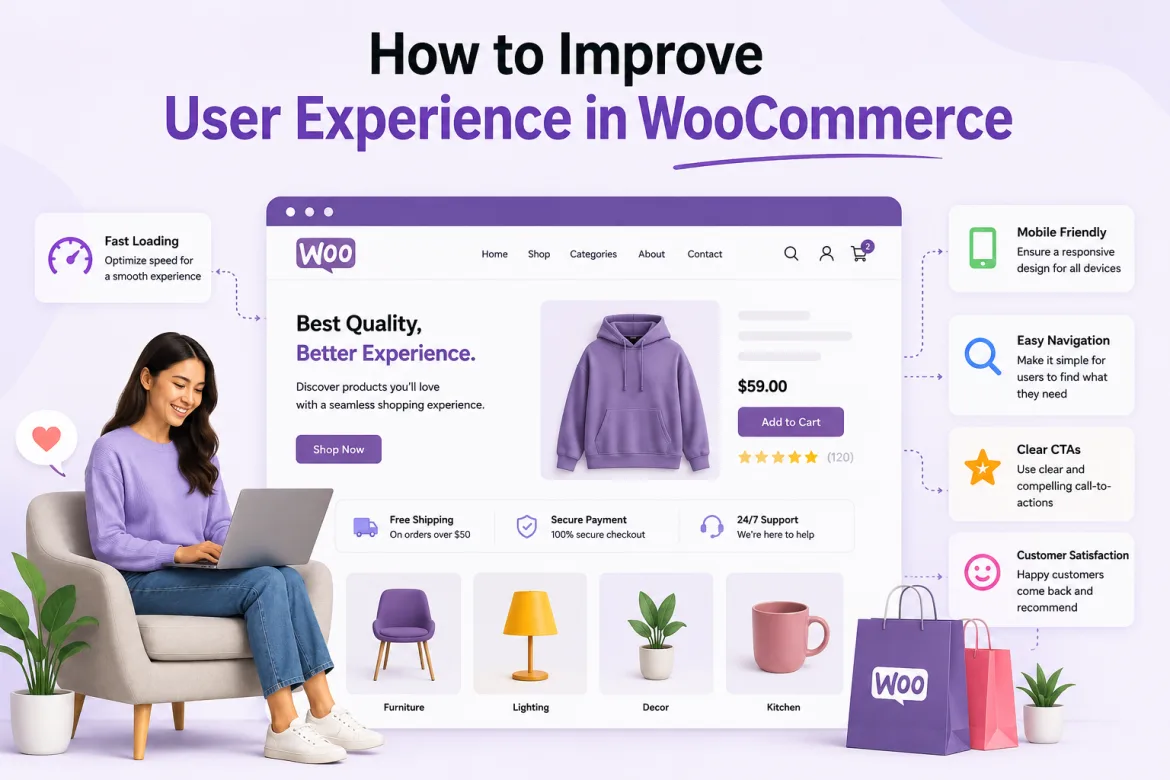
In today’s competitive eCommerce market, owning a WooCommerce store is insufficient to attract and retain clients. Businesses must prioritize providing a seamless, joyful, and hassle-free purchasing experience for all visitors. User experience, or UX, is an important factor in influencing whether customers stay on a website, peruse products, and eventually make a purchase. A great experience can boost revenue, promote consumer loyalty, and enhance a brand’s reputation.
WooCommerce provides considerable flexibility for online businesses, but the success of a store is heavily dependent on how customers interact with it. Slow page loading, complex navigation, unclear checkout processes, and poor mobile performance can all annoy visitors and cause them to abandon a purchase. On the other side, a well-designed store that prioritizes user needs can greatly boost conversion rates and customer happiness.
For business owners and decision-makers, investing in user experience is more than just a design choice; it is a growth strategy. Every change to the customer journey can lead to more engagement, revenue, and stronger long-term connections. This book delves into practical strategies to improve the user experience in WooCommerce and develop an online store that customers will like using.
Understanding the Importance of User Experience in WooCommerce
The whole impression that customers have when they interact with an online store is referred to as the user experience. It covers everything from site speed and navigation to product discovery and checkout completion. A strong user experience allows visitors to discover what they need quickly and pleasantly, avoiding unnecessary impediments.
In WooCommerce, user experience has a direct impact on company performance. Customers who love using a website are more inclined to browse merchandise, add items to their cart, and return for more purchases. Positive experiences also stimulate word-of-mouth recommendations and client loyalty, which are important for long-term growth.
Studies regularly reveal that visitors acquire opinions about a website in seconds. If the store appears to be outdated, slow, or difficult to use, customers may leave before researching the offerings. This means that firms have a limited time to make a good first impression and guide customers through the purchasing process.
Improving user experience entails more than just making a website visually appealing. It entails understanding customer behavior, identifying pain areas, and continuously enhancing each stage of the purchasing process. Businesses that prioritize these upgrades frequently acquire a competitive advantage in congested markets.
Optimize Website Speed and Performance
Website speed is a critical factor in determining user experience.
Customers want pages to load quickly, and delays can cause annoyance. Even a few extra seconds of loading time can drastically raise bounce rates and lower conversions.
Product pictures, plugins, and dynamic content are common in WooCommerce businesses, and they can all have an impact on performance. Business owners should regularly examine their website’s speed and identify issues that slow down loading times. Optimizing pictures, removing extraneous scripts, and using reputable hosting services can all make a significant difference.
For additional guidance, businesses can refer to the official WooCommerce performance optimization documentation.
Benefits of Fast WooCommerce Website Speed:
- Improves customer satisfaction and user experience
- Boosts search engine rankings (SEO performance)
- Increases organic traffic to your WooCommerce store
- Enhances overall website performance and conversions
Customers prefer websites that respond promptly to their interactions. Whether visitors are searching for products, filtering categories, or making a purchase, a responsive store instills trust and encourages them to continue their shopping experience.
Create Simple and Intuitive Navigation
An online store’s navigation system serves as its guide. Customers should be able to find products and information with ease. If visitors can’t find what they’re looking for, they’re more likely to leave and visit competing websites.
A simple menu structure helps users comprehend how the store is organized. Categories and subcategories should be reasonable, understandable, and consistent with client expectations. Avoid designing extremely complex navigation systems that necessitate extensive clicking.
Search functionality is similarly vital. Many customers prefer to search rather than browse categories. Implementing a robust search function with autocomplete recommendations can help users find things more quickly and improve their entire experience.
Consistent navigation across all pages fosters familiarity while reducing irritation. Customers should always be able to find their way around the website and easily navigate back to prior areas.
Enhance Product Pages for Better Engagement
Product pages have an important role in influencing customer purchasing decisions. A well-structured page allows clients to rapidly comprehend the product and gains confidence in their purchasing decision. Clear presentation and valuable information are critical to increasing engagement.
Customers cannot physically evaluate things online, thus high-quality pictures are crucial. Multiple photos from various angles, as well as zoom functionality, allow users to more efficiently evaluate products. This increases trust and minimizes ambiguity throughout the purchasing process.
- Use high-quality product images from multiple angles
- Add zoom and detailed visual features
- Write benefit-focused product descriptions
- Highlight how products solve customer problems
- Show clear features and specifications
Customer evaluations and ratings boost legitimacy and provide social proof. Buyers frequently rely on feedback from other customers to make a selection. Displaying genuine reviews helps to build trust and drive conversions.
Improve Mobile Shopping Experience
Mobile commerce is expanding rapidly as more people use their cellphones to shop online. A WooCommerce store that doesn’t run well on mobile devices risks losing a large number of potential customers.
Responsive design guarantees that website parts adjust automatically to various screen sizes. Product graphics, menus, buttons, and checkout forms should be both useful and visually appealing regardless of the device utilized.
For additional information about responsive design, businesses can refer to the official WordPress responsive styles documentation.
Mobile users are generally less patient than desktop users. Simplified layouts, fast-loading pages, and easy-to-tap buttons all contribute to a good mobile experience. Every action should be easy for the user to do.
Businesses should routinely test their WooCommerce stores on different devices and browsers. Identifying mobile usability concerns early on enables businesses to deliver a smooth experience that matches modern customer expectations.
Simplify the Checkout Process
Checkout is one of the most important steps in the consumer journey. Many sales are lost because the checkout procedure is cumbersome or time-consuming. Reducing friction at this step can greatly boost conversion rates.
Customers appreciate a simple checkout process that takes only the necessary information. Long forms with unneeded fields can frustrate users and raise abandonment rates. Businesses should only acquire the information necessary to complete the transaction.
Guest checkout options are quite handy. Not every buyer prefers to create an account before making a purchase. Offering guest checkout lowers obstacles and encourages faster transactions.
Clear progress indicators assist buyers realize how many steps remain before they can complete their transaction. This clarity alleviates confusion and makes the checkout process seem more manageable.
Key Factors That Influence WooCommerce User Experience
Several elements influence the overall user experience of a WooCommerce store. Understanding these characteristics allows businesses to successfully prioritize changes and offer a more enjoyable shopping experience for customers.
- Fast website loading speed
- Mobile-friendly design
- Easy product navigation
- Secure payment options
- Simple checkout process
- Effective customer support
Each aspect adds to client happiness in unique ways. When combined, they provide a purchasing experience that visitors find effortless and delightful.
Businesses that consistently analyze and improve these criteria frequently see higher client retention and conversion rates over time.
Use Personalization to Increase Customer Satisfaction
When it comes to online buying, today’s consumers expect individualized experiences. WooCommerce offers a variety of ways to customize information and recommendations based on consumer behavior and preferences.
Product recommendations can help clients discover related things that they would not have investigated otherwise. Personalized suggestions frequently raise average order values while improving the buying experience.
Returning customers love seeing products based on their browsing history or previous purchases. This level of customisation reveals that the company understands its customers’ interests and demands.
Personalization can be enhanced even further with email marketing integration. Sending relevant product recommendations and tailored promotions fosters a more engaged relationship with clients outside the internet.
Build Trust Through Security and Transparency
Trust is essential when making internet purchases. Customers want to know that their personal and financial information is fully safeguarded throughout transactions. A secure retail environment has a direct impact on buyer confidence.
Security features such as SSL certificates and trust badges comfort users about the website’s safety. Secure payment gateways boost confidence by safeguarding sensitive information during checkout. These characteristics eliminate hesitancy and increase conversion rates.
Key Practices to Build Trust in WooCommerce Stores:
- Display SSL certificates and security badges
- Use secure and trusted payment gateways
- Provide clear shipping and return policies
- Maintain transparent privacy guidelines
- Offer accurate product and delivery information
Clear communication is equally vital in establishing customer trust. Providing honest product information, realistic delivery timeframes, and easily accessible support channels boosts credibility. A straightforward approach promotes repeat purchases and long-term loyalty.
Provide Excellent Customer Support
Customer assistance is an essential component of the overall WooCommerce user experience. Even well-designed establishments cannot completely avoid client queries or worries. Strong support systems promote trust and contentment.
Customers can get fast help without leaving the website thanks to the live chat option. Quick responses alleviate frustration and let people finish their transactions with confidence. This boosts overall conversion rates.
Comprehensive FAQ sections make it easier to answer frequently asked questions. They lower the quantity of support requests while allowing customers to solve problems on their own. Customers and organizations will benefit from increased convenience and time savings.
Multiple support channels, such as email, phone, and chat, cater to a variety of consumer preferences. Offering flexible support options displays a dedication to customer pleasure.
Common Mistakes That Hurt WooCommerce User Experience
Many firms unknowingly create barriers that negatively impact consumer experiences, resulting in lower engagement and conversions. Recognizing these errors is the first step toward improving usability and overall store performance.
- Slow-loading pages
- Poor mobile optimization
- Complicated checkout forms
- Hidden shipping costs
These flaws can annoy customers and result in missed purchases. Regular testing and customer input can assist detect and remedy such issues before they have a significant influence on business performance. Continuous improvement is required since client expectations change over time. What worked a few years ago may not match current standards.
Use Analytics and Customer Feedback for Better UX
Data-driven decisions are critical to continue improving the user experience in WooCommerce stores. Store owners can utilize analytics tools to learn more about how customers interact with their website and find areas for development. This leads to better-informed optimization tactics.
Analytics systems provide information on user activity, such as site visits, time spent on pages, and drop-off points in the purchasing process. These insights enable firms to identify friction spots that may be affecting conversions. It enables for focused upgrades throughout the store.
Customer feedback provides a crucial human perspective on performance statistics. Reviews, polls, and support interactions frequently reveal flaws that analytics systems may not discover. This enables firms to better grasp actual client expectations and pain issues.
Combining statistics and consumer input yields a comprehensive picture of user experience. This method enables firms to make smarter, more customer-focused innovations that increase satisfaction and create better results.
Businesses can also use WooCommerce’s official performance documentation when reviewing store performance and optimization opportunities.
The Future of User Experience in WooCommerce
Emerging technologies and evolving customer expectations will impact the future of the WooCommerce user experience. Businesses who remain ahead of these developments can keep their competitive advantage.
Personalized recommendations, chatbots, and predictive analytics are all examples of how artificial intelligence is altering eCommerce. These technologies enable more relevant and efficient purchasing experiences.
Voice search and conversational commerce are becoming more essential. As more people utilize voice assistants, WooCommerce stores may need to adjust their content and navigation tactics accordingly.
Enhanced automation and smarter customer support systems will continue to improve convenience. Businesses that embrace innovation while remaining customer-centric are better positioned for long-term success.
Conclusion
A fantastic WooCommerce user experience may have a huge impact on client happiness and sales. From improving site speed to streamlining the checkout process and offering dependable support, every enhancement contributes to a better shopping experience. WordPress Development Services by eCodeSoft can assist businesses in creating, optimizing, and maintaining a high-performing online store.