

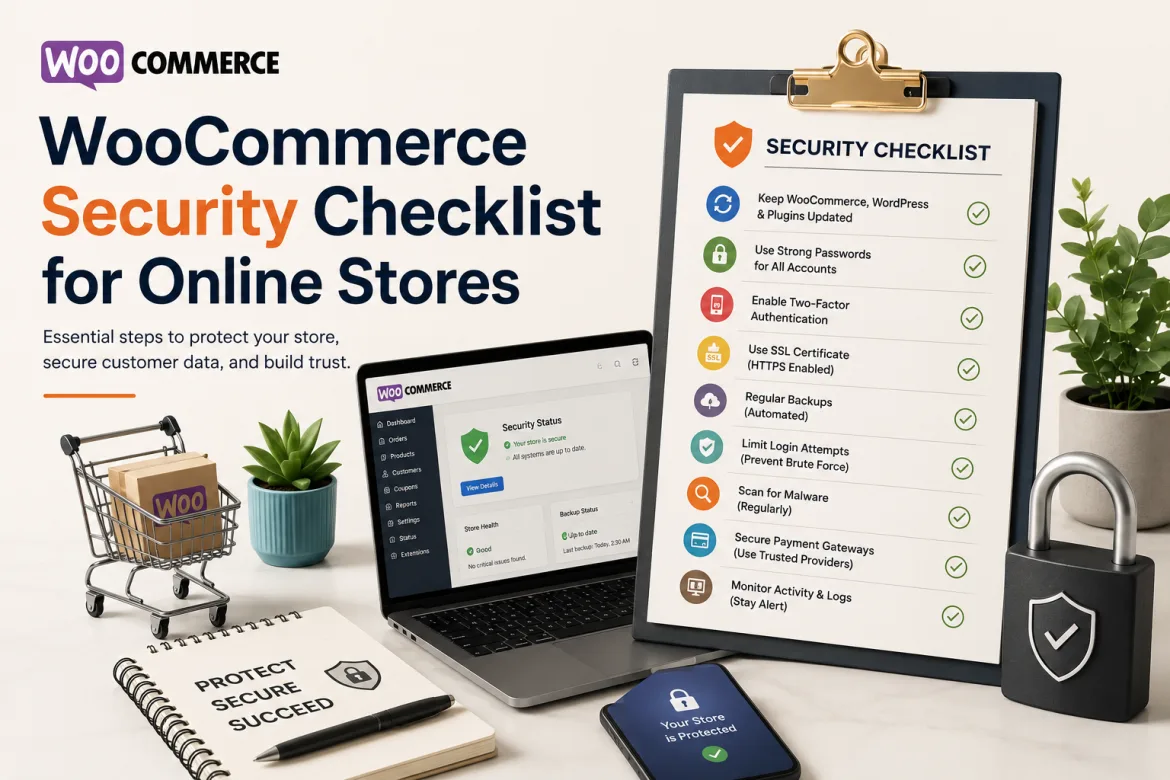
Although owning an online store has huge growth potential, it also imposes significant security requirements. Online businesses that use WooCommerce must take proactive steps to protect client data, payment information, and business operations as cyber threats evolve. A modest security breach can destroy consumer confidence and cause monetary losses that could take months or years to recover from.
WooCommerce’s flexibility, scalability, and integration capabilities make it one of the most popular eCommerce platforms worldwide. However, because to its popularity, it is constantly targeted by hackers, malware assaults, brute-force login attempts, and data theft. Store owners who ignore security issues usually see worse sales performance, lost client trust, and website disruptions.
Implementing a single solution is not the purpose of a strong WooCommerce security strategy. Rather, it requires a combination of procedures, equipment, ongoing maintenance, and monitoring. Business owners may use our WooCommerce Security Checklist for Online Stores to increase security, reduce vulnerabilities, and provide customers with a safer shopping experience.
Why WooCommerce Security Matters
Companies receive private data from online clients, such as names, addresses, phone numbers, passwords, and payment information. Customers expect their information to be secure when they enter it into an online store. A security breach has the potential to quickly destroy consumer confidence and encourage them to make purchases from competitors.
Businesses of all sizes are vulnerable to security breaches. A frequent misperception among small and medium-sized internet retailers is that hackers only target large brands. In reality, because they lack regular monitoring methods and specialized security resources, smaller retailers are often easier targets.
A cyberattack could have major financial consequences. Downtime, costs associated with recovering damaged systems, consumer compensation claims, and potential legal penalties can all result in revenue loss for firms. These charges can have a significant impact on long-term business growth and profitability.
In addition to financial issues, hacked websites may be marked as dangerous by search engines. Reduced organic traffic, worse search ranks, and a tarnished online reputation can result from this. It frequently takes a lot of time and effort to recover from such consequences.
Start with a Secure Hosting Environment
The security of your WooCommerce store is based on your hosting company. If WooCommerce is hosted on an unstable or poorly maintained server environment, even the most secure configuration may be vulnerable. One of your first security decisions should be selecting a reliable hosting company.
A respectable hosting provider invests in firewalls, malware detection, server monitoring, and regular security updates. By taking these safeguards, you can reduce the likelihood of attacks before they reach your website. Additional security features designed specifically for eCommerce websites are commonly supplied by managed WooCommerce hosting providers.
Business owners should compare hosting services based on uptime guaranties, security infrastructure, backup policies, and support response times. Choosing a low-cost hosting service without considering security can lead to serious issues later. Security should be viewed as an investment rather than an expense.
Many successful online retailers stress hosting security because they recognize its importance to customer confidence and business continuity. A secure hosting environment is an effective first line of defense against potential cyber threats.
Keep WordPress, WooCommerce, and Plugins Updated
Keeping your software up to date is one of the most effective security measures. Developers release updates on a regular basis to fix bugs, boost performance, and address newly discovered security issues. Ignoring these improvements may expose your store to known threats.
WooCommerce, WordPress core files, themes, and plugins all require regular updates. Attackers frequently target old software because vulnerabilities become public after security fixes are released. Delays in upgrades may allow for unlawful access.
Best Practices for WooCommerce Updates:
- Create a regular update schedule.
- Review and apply updates promptly.
- Make backups before big upgrades.
- Test changes in the staging environment.
- Avoid compatibility and functionality difficulties.
Businesses that view software maintenance as an ongoing duty frequently have fewer security problems. Regular updates reflect a proactive attitude to safeguarding client data and ensuring website functionality.
Use Strong Login Security Measures
Cybercriminals usually exploit user accounts as their primary entry point. Weak passwords, repeated credentials, and inadequate account management processes all pose security risks. Improving login security is therefore a critical component of any WooCommerce security checklist.
Store administrators should impose stringent password restrictions that include a mix of uppercase and lowercase letters, numerals, and special characters. Passwords should be changed on a frequent basis, especially for those with administrative access.
Multi-factor authentication adds an extra layer of security by forcing users to validate their identity using another method. Even if a password is hacked, unauthorized access is significantly more difficult when further verification is necessary.
Monitoring login activity can also help identify suspicious behavior. Repeated failed login attempts, unusual access locations, or unexpected administrator actions may indicate potential security threats that require immediate investigation.
Essential Security Practices Every WooCommerce Store Should Follow
Multi-factor authentication adds an extra layer of security by forcing users to validate their identity using another method. Even if a password is hacked, unauthorized access is significantly more difficult when further verification is necessary.
Monitoring login activity can also assist detect suspicious conduct. Repeated failed login attempts, strange access locations, or unexpected administrator actions may indicate potential security risks that must be investigated immediately.
Strong security policies are vital for running a secure and dependable WooCommerce store. Regular security management protects sensitive data, prevents illegal access, and lowers the risk of cyber attacks. A proactive approach guaranties long-term store stability.
Essential Security Practices That Every WooCommerce Store Should Implement
Several key security principles should form part of your standard store management process:
- Enable two-factor authentication for administrative accounts.
- Use strong, unique passwords for each user.
- Remove inactive user accounts routinely.
- Assign appropriate user permissions and roles.
- Monitor administrator activity records.
Regular assessment of access privileges ensures that only authorized users have access to critical store functions. These integrated techniques reduce vulnerabilities while improving overall WooCommerce security.
Install a Reliable Security Plugin
Security plugins improve security by monitoring suspicious activity, scanning for malware, and stopping potential attacks. They are effective methods for identifying security concerns before they become major issues.
A comprehensive security plugin may detect unauthorized file changes, monitor login attempts, and alert you when unusual behavior occurs. Many systems offer firewall capabilities that help to prevent harmful traffic from reaching your website.
Business owners should select security plugins from reputable developers that have a history of offering outstanding support and timely updates. Installing multiple security plugins with overlapping functions might occasionally result in conflicts, thus careful attention is required.
Security plugins should complement, not replace, other security measures. When combined with proper security procedures, they can dramatically increase overall security for WooCommerce stores.
Protect Customer Data with SSL Encryption
Customers demand secure online transactions when they shop online. SSL certificates encrypt information sent between users and websites, thereby protecting sensitive data from interception during transmission.
In most modern web browsers, the padlock symbol indicates a safe connection. Customers frequently interpret this indicator as a hint that a website is reliable and safe for online shopping.
SSL encryption is especially critical on checkout pages, when payment and personal information are input. Without encryption, client data may be subject to interception by malicious parties.
Many hosting providers now include SSL certificates in their hosting packages. Implementing SSL not only enhances security, but it also helps with search engine optimization and client confidence.
SSL encryption is an important part of protecting customer information during online transactions.
Monitor and Scan for Malware
Malware is a severe concern to WooCommerce stores since it can interrupt website functionality, steal critical data, and lower search rankings. Regular scanning helps spot harmful activities before it does significant damage. A proactive strategy improves the store’s security and stability.
Security software can scan files, databases, and website traffic to detect suspect activities. Early identification is crucial in preventing minor vulnerabilities from turning into significant security breaches. This helps to ensure that the website runs smoothly and securely.
Key Malware Monitoring Practices:
- Regular malware scans for early detection.
- Automatic monitoring of files and databases.
- Detecting questionable website activity.
- Faster reaction to security threats.
Store owners should regularly evaluate security reports and respond immediately to any strange findings. Delayed answers might allow malware to proliferate and inflict additional damage. Continuous monitoring provides long-term security and a stable WooCommerce environment.
Backup Your Store Regularly
Backups are a crucial safety net for internet enterprises. Even with strong security safeguards in place, unforeseen occurrences like malware infestations, server failures, or inadvertent data erasure are possible.
Regular backups enable store owners to swiftly recover operations and reduce downtime. Automated backup systems are especially useful since they eliminate the possibility of human error while providing constant protection.
Backup files should be kept secure and distinct from the primary hosting environment. This ensures that data is still accessible even if the primary server becomes compromised or inaccessible.
Businesses that maintain dependable backup systems are frequently able to recover from accidents more faster than those without recovery strategies. Backup plans are crucial for ensuring company continuity and disaster recovery.
Key Factors That Influence WooCommerce Security
WooCommerce security is based on multiple interrelated variables that work together to defend the store from cyber threats. A strong security foundation protects client data, ensures company continuity, and lowers operational risks. Consistent security management is necessary for long-term protection.
Key elements like as hosting quality, software maintenance, access control, and monitoring have a direct impact on overall security performance. Businesses should also have solid backup systems in place and ensure that personnel are aware of basic security measures. These approaches help to reduce vulnerabilities and increase attack resilience.
An online store’s total security strength is determined by several significant elements, including:
- Reliable hosting infrastructure and server security.
- Regular software updates and maintenance.
- Strong password policies and access controls.
- Ongoing security monitoring and threat detection.
- Backup and recovery procedures.
Organizations that consistently manage these elements are better able to prevent security mishaps and respond promptly to unanticipated problems. A proactive approach to security improves store reliability and customer trust.
Common WooCommerce Security Mistakes
Many security mishaps are the consequence of preventable mistakes rather than sophisticated attacks. Understanding these typical flaws can help firms improve their defenses.
One common mistake is employing out-of-date plugins or themes. Store owners may delay upgrades owing to compatibility concerns, however this can expose known vulnerabilities for extended periods of time.
Another prevalent concern is excessive user permissions. Employees or contractors may be granted administrator access when lower permission levels would suffice. This increases the chance of account compromise.
Businesses frequently underestimate the necessity of backups. Some people believe their hosting company handles everything, only to find gaps in backup coverage during a crisis. Backup management relies equally on verification and testing.
The Future of WooCommerce Security
As eCommerce grows, cyber attacks will become more sophisticated. Attackers are continuously devising new ways to attack weaknesses and obtain unauthorized access to online retailers.
Artificial intelligence and machine learning are projected to have a greater impact on website security. Advanced security systems will be able to detect abnormal behavior patterns and respond to attacks faster than old methods.
Customer expectations for privacy and data protection will continue to climb. Businesses that exhibit good security measures are likely to earn a competitive edge by increasing customer trust and brand credibility.
Future WooCommerce security tactics will prioritize automation, real-time monitoring, enhanced authentication mechanisms, and continuous threat detection. Businesses that adapt to these changes will be better able to defend their operations and customers.
Conclusion
WooCommerce security is not a one-time project, but rather a continuous corporate duty. To protect an online store, you must consider hosting security, software upgrades, login protection, backups, virus monitoring, and client data protection. Each layer adds to a more robust and resilient security framework.
By following this WooCommerce Security Checklist for Online Stores, business owners may reduce risks, increase customer trust, and promote long-term success. Investing in security today helps to avoid costly problems tomorrow, while also providing a safer and more reliable shopping experience for all customers.