

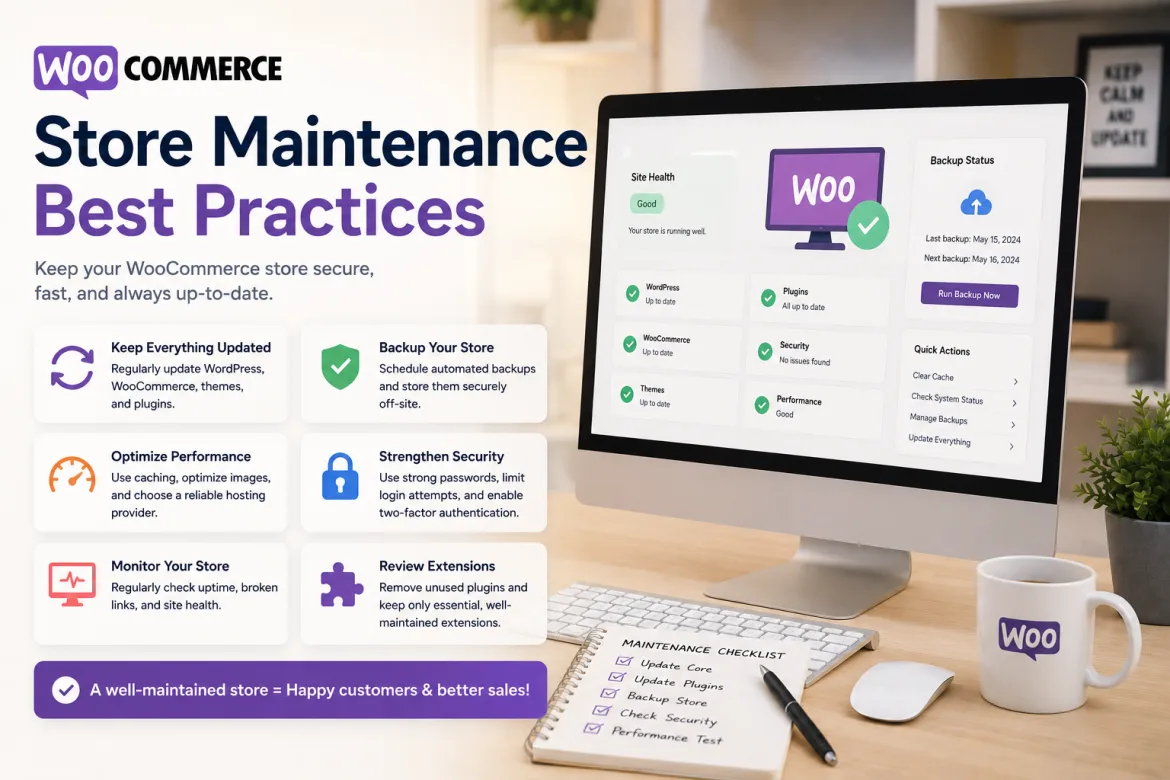
Running a successful WooCommerce business is much more than simply creating a website and adding things. Many business owners concentrate significantly on store design, marketing, and customer acquisition, but they sometimes forget one of the most critical factors of long-term success: routine store upkeep. A well-maintained WooCommerce store operates better, is more secure, and provides a seamless shopping experience, fostering client trust and repeat transactions.
Customers expect fast-loading pages, secure payment methods, and error-free shopping experiences as the number of online retailers increases. Even simple technological failures might result in abandoned carts, lost income, and damage to your brand name. This is why WooCommerce maintenance should be considered as a continuous business activity rather than a one-time operation.
Proper maintenance enables businesses to avoid unexpected downtime, enhance performance, secure client data, and ensure compatibility between themes, plugins, and WooCommerce upgrades. Businesses that follow established WooCommerce shop maintenance best practices may keep their stores functioning smoothly while focusing on growth and customer pleasure.
Why WooCommerce Store Maintenance Matters
WooCommerce is a strong and adaptable eCommerce platform, but like any other software system, it requires regular maintenance. WordPress, WooCommerce, plugins, themes, hosting services, payment gateways, and third-party integrations are all need for your store to function. If a single component becomes old or incompatible, the entire website may suffer as a result.
Regular maintenance decreases the likelihood of technical issues, which can disrupt sales. Consider a scenario in which clients are unable to finish transactions due to a plugin conflict. Such difficulties can cause instant income loss and frustration among customers who may never return to your store.
Maintenance is also very important in cybersecurity. Online retailers capture essential client information such as names, addresses, and payment methods. Cybercriminals frequently target obsolete websites because they have known vulnerabilities that can be exploited. Keeping everything up to date helps preserve sensitive information and maintains client trust.
Additionally, search engines reward websites that offer excellent user experiences. Faster loading times, mobile responsiveness, and dependable uptime all contribute to higher rankings. A well-maintained WooCommerce store can thus improve both operational efficiency and SEO performance.
Regularly Update WooCommerce Core, Themes, and Plugins
One of the most critical maintenance strategies is to update WooCommerce, WordPress core files, themes, and plugins. Developers often provide updates to improve functionality, repair bugs, and patch security flaws. Ignoring updates may expose your website to avoidable hazards. For additional guidance, see the official WooCommerce update documentation.
Before executing upgrades, make a complete backup of your store. This precaution ensures that you can immediately restore the website if there are any compatibility issues following an upgrade. Many successful online firms conduct testing before releasing updates to their live stores.
Outdated plugins are one of the most typical causes of website problems. A plugin that worked flawlessly six months ago may now be incompatible with newer versions of WooCommerce or WordPress. Regular monitoring aids in detecting outdated tools before they cause difficulties.
Businesses that adhere to a scheduled update schedule frequently face fewer technical problems. Monthly reviews and regular maintenance windows can help manage updates while reducing their impact on everyday operations.
Create and Monitor Regular Backups
Backups serve as a safety net for your WooCommerce store, shielding it from unanticipated problems like as server outages, hacking attempts, or unintentional data loss. They ensure that your firm can recover swiftly and without significant delays. A solid backup plan is critical for long-term stability.
Backups, both automated and manual, play a crucial role in data security. Automated backups offer ongoing security, whereas manual backups are important prior to large updates or changes. Using both strategies together improves reliability and provides peace of mind.
Key Best Practices for WooCommerce Backups:
- Automated backups provide continual protection.
- Use manual backups before big updates.
- Store backups in multiple secure locations.
- Use cloud storage for increased security.
- Avoid relying solely on hosting provider backups.
Having solid backups allows for speedy recovery during emergencies. Without them, firms risk losing valuable data and experiencing extended downtime. A proper backup system contributes to customer trust and ongoing retail operations.
Optimize Website Performance Regularly
Website performance has a direct impact on the user experience and conversion rate. Research regularly reveals that customers are more likely to abandon websites that take too long to load. Slow performance might also harm search engine rankings.
Regular image compression, database cleanup, cache enhancements, and the removal of unneeded plugins should all be considered when optimizing performance. These tasks help to reduce server load and increase overall responsiveness.
Business owners should use performance monitoring tools to verify their website’s speed on a regular basis. Such evaluations assist in identifying bottlenecks that may be hurting client experiences. Even little improvements in page load speeds can boost engagement and sales.
Website performance needs shift as product catalogs and traffic grow. Regular optimization guarantees that the store remains speedy and efficient even as business grows or seasonal demand fluctuates.
Maintain Strong Website Security
Security maintenance is critical for safeguarding consumer information and corporate operations. As cyber dangers increase, online store operators must take proactive security measures.
A solid security strategy comprises numerous protective measures:
- Set strong passwords for all administrative accounts.
- Use two-factor authentication whenever possible.
- Install reliable security monitoring tools.
- Limit login attempts to avoid brute-force assaults.
- Use SSL certificates to protect consumer data.
Aside from these safeguards, firms should frequently evaluate user rights and delete inactive accounts. If not maintained properly, former employees, outdated administrator profiles, and idle accounts might provide additional security threats.
Regular security audits should be performed to identify potential vulnerabilities. Detecting and addressing flaws early helps to avoid greater problems that could harm the firm and jeopardize client trust.
Monitor Store Functionality and User Experience
Many technological issues go unreported until the client reports them. Regular functionality testing helps to uncover problems before they affect sales or customer pleasure.
Store owners should test their product pages, shopping carts, checkout processes, payment gateways, contact forms, and account registration systems on a regular basis. These key qualities have a direct impact on the client journey and revenue creation.
Monitoring user behavior might also uncover hidden issues. For example, a significant surge in cart abandonment rates could suggest a checkout issue that has to be addressed immediately. Analytics technologies provide significant information about how customers engage with the store.
Consistent testing helps guarantee that every aspect of the shopping experience runs smoothly and reliably. Customers who face fewer impediments are more likely to complete their purchases and return for future transactions.
Keep Product Information Updated
Keeping product information correct is an important aspect of WooCommerce store upkeep. Customers rely on accurate information such as pricing, descriptions, photos, and stock availability when making purchasing decisions. Regular upgrades offer a smooth and reliable buying experience.
Outdated product listings might mislead customers and undermine their trust in the store. Showing unavailable or inaccurate items may result in aggravation and missed sales chances. Maintaining accuracy increases client happiness and confidence.
- Regularly update product descriptions
- Keep pricing information accurate
- Refresh product images when needed
- Maintain correct inventory levels
- Remove or update unavailable products
Proper inventory management is especially crucial in preventing overselling and consumer unhappiness. Accurate product data enhances communication and helps make smarter purchase decisions. Consistent updates help to keep an online store looking professional and reliable.
Clean and Optimize the Database
As WooCommerce stores expand, databases collect superfluous data such as expired sessions, obsolete revisions, temporary entries, and unused information. Over time, this clutter might degrade webpage performance.
Database optimization entails deleting unnecessary data and structuring information more effectively. Regular cleansing actions help to increase website speed and reduce server resource consumption.
Many store owners disregard database upkeep since it takes place behind the scenes. However, a well-optimized database considerably improves overall website performance and stability.
Routine database maintenance also helps to avoid storage inefficiencies, which can increase hosting costs over time. Maintaining a simplified database benefits both performance and cost management objectives.
Monitor Analytics and Business Metrics
Store upkeep includes more than just technical tasks. Monitoring business performance data allows you to detect trends, opportunities, and potential problems that need to be addressed. This data-driven strategy enables better decision-making and continuous store improvement.
Important metrics to track are:
- Website traffic trends.
- Conversion rates.
- Cart abandonment rates.
- Average order value.
- Revenue growth.
- Product performance.
Regularly reviewing these indicators enables business managers to make informed decisions based on actual consumer behavior rather than assumptions. Data-driven enhancements frequently result in improved customer experiences and higher business performance. Businesses can also use Google Analytics ecommerce reports to monitor ecommerce activity and product performance.
Analytical assessments can also uncover technical difficulties. A rapid decline in conversions, for example, could signal a problem with the checkout process or website performance that should be investigated right once.
Test Mobile Performance Frequently
Mobile commerce continues to account for a considerable amount of internet retail activity. A WooCommerce store that operates poorly on smartphones risks losing a significant number of potential customers.
Regular mobile testing ensures that pages load quickly, navigation is straightforward, and checkout processes work properly on a variety of devices and screen sizes. Mobile usability has a direct impact on consumer happiness and search engine exposure.
Business owners should use mobile devices to place test orders on a regular basis. This practical method sheds light on the actual customer experience and identifies possibilities for improvement.
As mobile technology advances, continuous testing becomes more vital. Continuous optimization enables firms to remain competitive and adapt to changing customer expectations.
Common WooCommerce Maintenance Mistakes
Many organizations unwittingly cause difficulties by ignoring necessary maintenance tasks. Understanding these typical blunders can assist store owners in avoiding avoidable hassles.
Delaying updates for an extended period of time is a common mistake. While updates may appear annoying, delaying them raises security concerns and compatibility issues. Businesses frequently uncover problems once many old components cause conflicts.
Another typical problem is relying just on one backup site. If that location becomes inaccessible, recovery attempts will become much more difficult. Multiple backup locations increase protection and reliability.
Some store owners install too many plugins without considering their requirement or performance impact. Excessive plugins can cause website performance issues, conflicts, and increased maintenance complexity. Regular plugin reviews promote efficiency and stability.
The Future of WooCommerce Store Maintenance
The future of WooCommerce maintenance will be more automated, intelligent, and data-driven. Advanced tools can now identify performance and security issues before they affect customers. Artificial intelligence is also transforming the way stores are monitored and optimized.
As cybersecurity threats evolve, security maintenance will remain a primary issue for online organizations. To protect sensitive client data, more robust monitoring systems and faster response mechanisms would be required. Regular upgrades and proactive security checks will be much more vital.
- AI for performance and security monitoring.
- Early discovery of technical faults.
- Stronger cybersecurity requirements.
- Higher expectations for page speed and UX.
- Continuous optimization for all devices.
Customers’ expectations for speed and performance are increasing across all platforms. Businesses that implement proactive maintenance techniques will remain competitive in the dynamic eCommerce landscape. Continuous optimization will be critical to long-term success.
Conclusion
WooCommerce store upkeep is more than just a technical requirement; it’s a commercial imperative. Regular updates, security monitoring, backups, performance optimization, and functionality testing help keep online stores secure, dependable, and profitable. A proactive maintenance plan protects both consumer experiences and company revenue.
WooCommerce maintenance requires continuous monitoring, security upgrades, performance improvement, and technical assistance. If you require expert assistance, consider evaluating the top WordPress development businesses featured in the TopITFirms WordPress directory.