

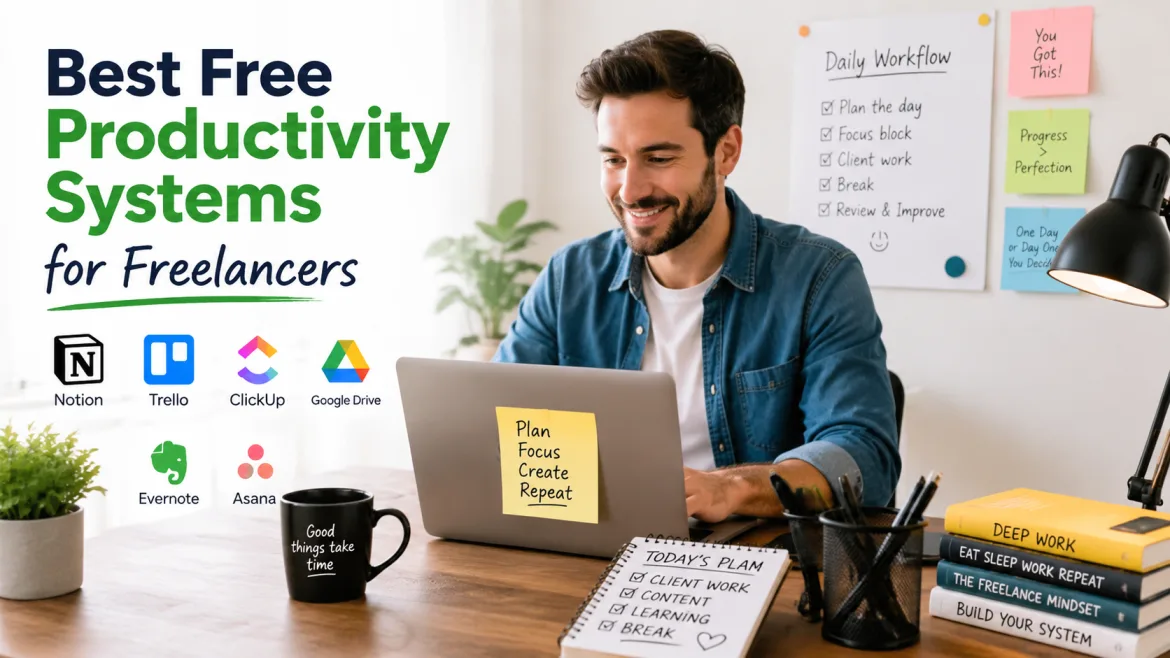
Freelancing in 2026 is fiercely competitive, fast-paced, and technologically connected. Clients increasingly expect prompt communication, structured delivery, secure workflows, and consistent quality. Success for freelancers such as designers, developers, authors, and consultants is dependent on working smarter and more efficiently using structured productivity techniques.
Modern freelancers manage projects, clients, invoicing, marketing, and communication all at the same time, just like small businesses do. Without effective systems, difficulties such as missed deadlines, burnout, and inefficiency become regular problems.
Fortunately, free productivity apps now include AI, cloud collaboration, and automation features to help streamline workflows and increase efficiency. This guide looks at the top free productivity programs for freelancers in 2026 and how they can improve overall performance.
Why Productivity Systems Matter for Freelancers in 2026
Freelancers today have significantly more duties than independent professionals did five years ago. Remote work cultures, global hiring platforms, AI-assisted services, and cloud-based collaboration have transformed the way freelancing enterprises function.
A well-designed productivity system helps freelancers:
- Manage multiple clients efficiently
- Reduce repetitive administrative work
- Automate scheduling and communication
- Organize digital assets securely
- Improve focus and time management
- Scale operations without hiring immediately
- Deliver projects faster with higher consistency
A well-designed productivity system enables freelancers to efficiently manage multiple clients, reduce repetitive administrative work, automate scheduling and communication, securely organize digital assets, improve focus and time management, scale operations without hiring immediately, and deliver projects faster and more consistently.
The development of AI-powered workflow solutions has shifted productivity expectations. Freelancers who use automation and intelligent systems into their daily operations frequently beat larger teams with fewer resources.
Organized mechanisms foster confidence among startups, SMEs, and business owners who hire freelancers. Clients are more likely to maintain long-term relationships with freelancers that demonstrate professional methods, secure collaboration techniques, and open project management.
Key Features Every Freelancer Productivity System Should Include
Before selecting tools or building workflows, freelancers should understand what constitutes a successful productivity system in 2026.
Cloud-Based Accessibility
Modern freelancers operate from laptops, smartphones, tablets, and remote locations. Cloud-based systems ensure that files, projects, calendars, and communication are accessible from anywhere.
Cloud architecture also enables real-time collaboration, automated backups, cross-device synchronization, remote team scaling, and speedier client communication.
Freelancers who deal with overseas clients benefit the most from centralized cloud platforms, which make collaboration across time zones easier.
AI-Powered Automation
AI has become one of the most powerful productivity boosters in modern freelancing. Free AI integrations may now automate repetitive operations like meeting summaries, email writing, content creation, task prioritization, workflow recommendations, time tracking analysis, and CRM updates.
Instead of manually performing operational responsibilities, freelancers can devote more time to strategic and creative projects.
Cybersecurity and Data Protection
Freelancers increasingly handle sensitive client information, payment data, marketing assets, and intellectual property. Cybersecurity is no longer optional.
A reliable productivity system should include secure cloud storage, two-factor authentication, encrypted collaboration tools, password management systems, and permission-based file access.
Cybersecurity failures can damage client trust and business reputation significantly.
Scalability for Business Growth
Many freelancers eventually form agencies, partnerships, or distributed remote teams. Productivity solutions should allow for long-term scaling without requiring comprehensive workflow replacement later.
Scalable platforms enable users to easily add collaborators, manage increasing project quantities, automate operational operations, integrate CRM and finance systems, and standardize client onboarding.
Choosing scalable platforms early saves future operational disturbance.
Best Free Productivity Systems for Freelancers in 2026
Notion: The All-in-One Freelancer Workspace
Notion is one of the most powerful free productivity tools available to freelancers. Its versatility enables professionals to build bespoke dashboards, project trackers, content calendars, CRM systems, SOP documentation, and knowledge bases all inside a single centralized platform.
Notion’s AI-powered writing and organization features, which were developed in recent years, have increased its value for content writers, consultants, and startup founders.
One major advantage of Notion is customization. Unlike rigid project management tools, Notion adapts to different business models and industries.
For example, a freelance designer can create asset approval pipelines, a copywriter can organize SEO content workflows, a developer can document technical systems, and a consultant can manage client research databases.
Its free version remains surprisingly powerful for solo professionals.
Trello: Simple Project Management That Works
Notion has a significant advantage in terms of customization. Unlike conventional project management solutions, Notion can adapt to diverse business types and industries.
For example, a freelance designer can construct asset approval pipelines, a copywriter can coordinate SEO content procedures, a developer can record technical systems, and a consultant can manage client research databases.
Its free version remains remarkably effective for solo pros.
ClickUp: Advanced Productivity for Growing Freelance Businesses
ClickUp is becoming increasingly popular among freelancers and businesses seeking enterprise-level productivity capabilities at a low cost. It combines job management, documentation, goal tracking, and automation in one platform, allowing users to optimize workflows and increase overall efficiency.
ClickUp provides significant operational management to freelancers transitioning into agencies.
The trend to remote-first digital firms has increased the need for centralized operational systems. ClickUp meets this demand by minimizing the amount of different tools that freelancers must manage.
Its free version offers sophisticated workflows that were previously only available through pricey enterprise software subscriptions, making it suitable for freelancers and companies looking to scale without increasing operational costs.
Freelancers that manage several subcontractors or complex client pipelines might benefit from advanced automation and reporting options.
Google Workspace Free Tools: Essential Cloud Productivity
Google continues to promote freelancing workflows via its productivity ecosystem. Freelancers may manage projects, clients, and deadlines more efficiently with tools such as Docs, Sheets, Drive, and Calendar.
This integrated system eliminates the need for several paid tools while simplifying daily operations. It also allows for real-time collaboration and cloud access from any device.
The main advantage is seamless collaboration. Clients may instantaneously review files, leave comments, securely access shared documents, and collaborate on revisions.
Cloud synchronization also allows freelancers to work from practically anywhere without sacrificing productivity.
AI Productivity Systems Reshaping Freelancing
AI Writing and Research Assistants
AI productivity solutions can now assist freelancers cut their research and administrative responsibilities. These tools generate content ideas, summarize facts, and help you draft professional documents rapidly.
Platforms like OpenAI and AI-assisted workflow ecosystems help freelancers prepare proposals faster, create outlines, summarize meetings, increase communication quality, brainstorm fresh ideas, and automate repetitive writing activities.
Rather than replacing freelancers, AI is increasingly being used as an operational assistant to boost productivity and scalability.
AI Scheduling and Workflow Automation
Automation solutions like Zapier enable freelancers to connect various apps and minimize repetitive chores. This provides for smooth data movement across platforms like as email, CRM, and project management systems.
Examples include automatically producing tasks from emails, sending onboarding forms to clients, syncing invoices with accounting software, automatically updating CRM systems, and sending reminders for overdue tasks.
These workflow automations can help freelancers save considerable amounts of time each week.
Best Free Time Management Systems for Freelancers
Pomodoro Technique Systems
Time blocking is still one of the most successful freelancer productivity tactics. It enables individuals to set out particular time windows for focused work, eliminating distractions and increasing job completion rates.
It also reduces multitasking and mental fatigue by clearly separating distinct activities. As a result, freelancers can operate more efficiently, consistently, and with higher overall quality throughout the day.
Notifications, social media, and unstructured scheduling are common sources of distraction for freelancers working remotely. Structured focus methods help to sustain productivity discipline.
Calendar Blocking Workflows
Calendar-blocking solutions are widely used by freelancers to organize their work into specific productivity zones. This enables them to successfully prioritize activities, eliminate distractions, and produce regular daily output.
Deep work sessions, customer communication windows, administrative tasks, creative brainstorming, and learning and skill development are all examples of common schedule blocks.
This framework minimizes context switching while increasing cognitive efficiency throughout the workday.
Cybersecurity Best Practices for Freelancers
Use Password Managers
Freelancers frequently manage dozens of client accounts and digital platforms. Password managers minimize security concerns while increasing workflow efficiency.
Free password management systems allow users to securely store credentials, generate strong passwords, enable safe sharing, and reduce login latency.
Enable Multi-Factor Authentication
Cyberattacks on remote workers and freelancers have escalated dramatically in recent years.
Two-factor authentication provides additional security for email accounts, cloud storage, payment systems, and client collaboration tools.
Security is become a critical component of professional freelance business operations.
Common Productivity Mistakes Freelancers Should Avoid
Using Too Many Tools
Too many disconnected technologies can result in workflow confusion, duplicate data, lower efficiency, increased mental fatigue, and increased security threats. Instead of expanding software quantity, freelancers should focus on creating efficient operational procedures.
Ignoring Automation Opportunities
Manual, repetitive job drains productive time. Freelancers who don’t automate chores like scheduling, invoicing, reporting, and follow-ups may struggle to scale sustainably.
Automation enables experts to spend more time on high-value creative or strategic services. This move can boost productivity, customer happiness, and corporate growth potential.
Neglecting Digital Organization
Disorganized files, ambiguous naming schemes, and inconsistencies in workflows greatly affect operational efficiency. They make it difficult to find crucial documents quickly and can impede collaboration and productivity.
A professional productivity system should have organized folders, naming conventions, project templates, standard operating procedures, and backup mechanisms.
As the number of independent firms grows, digital organizing becomes more vital.
How Freelancers Can Build a Complete Free Productivity Stack
A robust freelancer productivity solution does not require costly software subscriptions.
A useful free productivity stack for 2026 may include project management, documentation, file storage, communication, automation, scheduling, writing assistance, and password security.
| Function | Recommended Free Tool |
|---|---|
| Project Management | Trello or ClickUp |
| Documentation | Notion |
| File Storage | Google Drive |
| Communication | Google Meet |
| Automation | Zapier |
| Scheduling | Google Calendar |
| Writing Assistance | AI productivity tools |
| Password Security | Free password manager |
Choosing the Right Productivity System for Your Freelance Business
Consider Your Workflow Complexity
Simple freelance businesses may simply require lightweight solutions such as Trello and Google Workspace. These tools are simple to use, quick to set up, and great for handling basic tasks and communicating effectively.
Larger organizations that manage several clients, contractors, and departments may benefit more from complex solutions such as ClickUp. These solutions provide automation, reporting, and scalable workflows to meet complicated project management requirements.
Evaluate Integration Capabilities
Choose solutions that work seamlessly with cloud storage, CRM platforms, AI systems, automation software, and communication tools. Disconnected systems cause unnecessary friction.
Think Long-Term Scalability
Your productivity system should assist business growth in the coming years. Migrating entire workflows afterward might be inconvenient and costly.
Choosing scalable solutions from the start allows a smoother expansion as workload, clients, and team sizes grow. It also helps to ensure consistency across processes in the absence of frequent system modifications.
A future-ready setup eliminates technological debt while promoting long-term efficiency.
Conclusion
Freelancing in 2026 demands more than just talent. Success is dependent on solid digital organization, automation, cybersecurity, and efficient productivity tools that enable constant output. Without suitable systems, freelancers frequently face missed deadlines, inefficiencies, and growth constraints.
Free productivity systems such as Notion, Trello, ClickUp, Google Workspace, and AI-powered applications now provide strong features at a low cost. Freelancers may increase efficiency, customer happiness, and revenue by leveraging cloud workflows, automation, and AI.
These tools enable independent professionals to remain competitive and scale sustainably in a rapidly changing digital economy.