

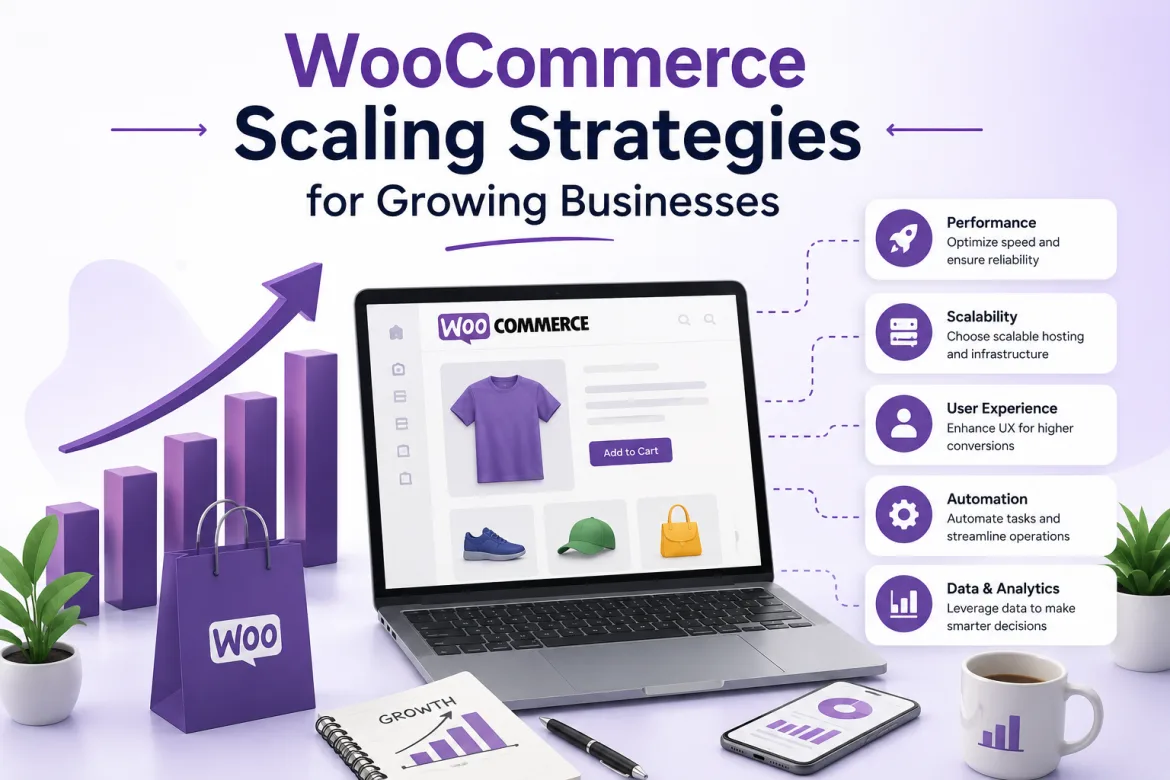
As an online business expands, handling increasing visitors, larger product catalogs, and higher order quantities becomes more difficult. Many businesses begin with a basic WooCommerce setup, which works great in the early stages. However, when consumer demand grows, business owners frequently encounter performance concerns, slower page loading times, inventory management challenges, and operational bottlenecks, all of which can have an impact on revenue and customer happiness.
WooCommerce is one of the most adaptable eCommerce platforms today, allowing businesses to grow without having to switch to an entirely new system. Its scalability makes it appropriate for startups, medium-sized organizations, and even huge corporations. However, growth does not occur automatically. Store owners must develop effective scaling solutions to ensure that their websites continue to run well as demand grows.
Understanding how to appropriately scale WooCommerce allows organizations to maintain outstanding customer experiences while driving long-term growth. Several variables contribute to successful WooCommerce scaling, including improved hosting infrastructure and performance, as well as process automation and security enhancements. This guide delves into real WooCommerce scaling techniques that expanding businesses can implement to boost growth and enhance profitability.
Understanding WooCommerce Scalability
WooCommerce is built to manage expansion, but growing necessitates strategy and optimization. Many business owners believe that introducing new products or expanding marketing efforts is sufficient to boost online sales. In truth, backend performance and operational efficiency are equally vital in facilitating expansion.
As store traffic grows, the server must process more requests, maintain larger databases, and handle greater checkout activities. Without proper optimization, these demands might cause the website to slow down and have a detrimental influence on the user experience. Customers frequently quit websites that take too long to load, resulting in missed sales chances.
Scalability also entails managing company operations efficiently. As transaction volumes grow, order fulfillment, inventory changes, customer assistance, and payment processing become increasingly difficult. A scalable WooCommerce strategy tackles both technological and operational difficulties.
Successful scaling enables firms to grow seamlessly while maintaining website performance, customer satisfaction, and profitability. The goal is to establish a foundation that can support growth while remaining dependable and efficient.
Choosing the Right Hosting Infrastructure
Hosting is important to WooCommerce’s scalability. Many organizations start with shared hosting since it is cost-effective and simple to maintain. However, shared hosting frequently becomes inadequate as traffic and order quantities increase.
Dedicated WooCommerce hosting offers more resources, faster performance, and increased security. Managed hosting providers have specifically optimized their environments for WooCommerce, minimizing the workload for business owners and technical teams.
Cloud-based hosting solutions are becoming more popular among expanding organizations. The cloud infrastructure enables websites to dynamically scale resources based on demand. Businesses can handle traffic increases during seasonal sales or promotional events without having to shut down.
Improve WooCommerce Website Performance
Website speed has a direct impact on conversion rates, search engine rankings, and customer happiness. Even little delays can diminish sales and severely impact the customer experience. A speedy WooCommerce store leads to higher engagement and smoother shopping.
Key WooCommerce Performance Optimization Techniques:
- Optimize pictures for faster loading speeds.
- Use caching for better performance.
- Optimize the WooCommerce database.
- Reduce unneeded server load.
These optimization approaches work together to boost website performance and responsiveness. Businesses that prioritize performance enhancements can provide a better user experience and achieve greater long-term growth.
For additional guidance, see the WooCommerce performance optimization documentation.
Implementing Content Delivery Networks (CDNs)
A Content Delivery Network (CDN) distributes website materials across numerous global servers. When a customer visits a website, the content is provided from the server nearest to their location. This shortens loading times and enhances overall page performance for users worldwide.
CDNs greatly reduce loading times for firms that serve clients from multiple areas. Faster websites improve user experience and lower bounce rates, especially among international visitors.
CDNs also help to lessen the strain on the original hosting server. Businesses can improve the overall performance and stability of their websites by providing static information like photos, stylesheets, and scripts.
Another significant benefit is increased protection against traffic surges. During marketing campaigns or seasonal promotions, CDNs help sustain performance levels even when visitor numbers skyrocket.
As businesses enter new areas, adding a CDN becomes a crucial component of a successful WooCommerce expansion plan.
For more information about CDN functionality, see Cloudflare’s CDN resource.
Track Customer Behavior and Sales Trends
Data-driven decision-making becomes increasingly important as WooCommerce businesses grow. Analytics provide useful information about client behavior, sales success, and general store efficiency. These insights enable firms to make better strategic decisions.
Analytics tools assist in identifying high-performing items, client categories, and effective marketing channels. Understanding these patterns enables organizations to manage their budgets and resources more effectively. This leads to increased profitability and growth potential.
- Monitor customer behavior and sales trends.
- Identify top performing items and segments.
- Track conversion rates and drop-off spots.
- Improve marketing and resource allocation.
Performance monitoring can also help identify technical issues before they affect consumers. The proactive use of data promotes smoother scaling and a better customer experience. Businesses that use analytics efficiently have more sustainable long-term growth.
Managing Large Product Catalogs Efficiently
As product choices expand, managing inventories and ensuring website performance becomes more difficult. Large catalogs necessitate meticulous organizing and optimization. Proper management provides smooth navigation and avoids delayed loading times, which can degrade user experience.
Businesses should design sensible product categories and navigation structures to help buyers find things easily. Clear organization enhances both the user experience and search engine visibility.
Advanced filtering capabilities allow shoppers to conveniently narrow their product selections. Customers are more likely to make purchases when they can simply find the things they want without having to hunt for them.
Product database optimization is also significant. Large catalogs create more database queries, which can degrade performance if not effectively managed. Efficient database structures and indexing help to keep the system responsive.
Automating Business Operations
Automation becomes more valuable as order volumes increase. Manual methods that work for small organizations are frequently rendered unsustainable during periods of expansion. Automation improves productivity, reduces errors, and saves time as a business grows.
Several important areas benefit from automation:
- Manage inventory and adjust stock levels.
- Order processing workflows
- Receive customer notifications and emails.
- Updated shipping and tracking information.
- Marketing and client retention campaigns.
Automated systems minimize human error while increasing operational efficiency. Employees can concentrate on strategic activities rather than routine administrative responsibilities.
For example, automatic inventory synchronization reduces overselling and enhances stock accuracy. Automated email workflows keep clients informed throughout their purchasing experience, increasing happiness and trust.
Businesses that embrace automation can scale more successfully without incurring commensurate increases in labor costs.
Strengthening WooCommerce Security
As organizations expand, they naturally become more appealing targets for cyber threats. Increased traffic, transactions, and customer data make security a top responsibility. Protecting user information is critical for preserving trust and business continuity.
One of the most critical security procedures is to keep all software up to date. WooCommerce, WordPress, themes, and plugins should constantly be updated with the most recent versions. Regular updates help to correct known vulnerabilities and reduce security threats.
Using secure and trustworthy payment methods is also critical for safeguarding client financial information. Businesses should select providers that meet industry security standards and provide strong encryption. This enables secure and dependable transaction processing.
Firewalls, malware scanning, login security, and regular backups are all additional levels of protection that contribute to overall defense. Security should be viewed as a continuous activity rather than a one-time setup. A strong security plan fosters long-term customer trust and sustainable growth.
For WordPress maintenance and update guidance, see the official WordPress updating documentation.
Scaling Customer Support Systems
As businesses grow, so do customer expectations, order volumes, and support needs. Maintaining regular and timely help is more difficult without a planned method. Strong customer service is critical to maintaining satisfaction and confidence.
A scalable support plan often incorporates a variety of communication channels such as email, live chat, social media, and self-service capabilities. Giving clients more options for how to contact support enhances accessibility and response efficiency. This allows for faster response of issues across many client preferences.
Knowledge bases and frequently asked questions help reduce repetitive support queries. By enabling customers to find solutions independently, businesses can improve efficiency and reduce support workload. This also leads to faster response times for more complex issues.
Customer relationship management systems further enhance support quality by organizing customer data and interaction history. This allows support teams to provide more personalized and effective assistance. Businesses that invest in scalable support systems build stronger customer loyalty and long-term retention.
Key Factors That Influence WooCommerce Scalability
Several important factors determine how effectively a WooCommerce store can scale as the business grows. Strong infrastructure, optimized performance, and efficient systems all play a crucial role in handling increased traffic, orders, and data without affecting user experience.
Businesses must guarantee that their hosting environment can handle increasing demand while maintaining fast loading times and stability. At the same time, database performance, automation tools, and security systems must collaborate effectively to eliminate operational bottlenecks.
- High-quality hosting and infrastructure.
- Optimize website speed and performance.
- Improve database efficiency and management.
- Automation of operational processes.
- Strong security implementation.
Analytics and monitoring can also help firms track performance and find growth prospects. A well-optimized WooCommerce store may expand smoothly while remaining dependable, secure, and customer-friendly.
Common Mistakes Businesses Make While Scaling WooCommerce
Many firms face issues because they focus solely on sales growth while ignoring technological and operational readiness. As the store grows in size, this imbalance frequently causes performance concerns, security risks, and poor consumer experiences.
Common mistakes include:
- Using inadequate hosting plans for too long.
- Installing excessive plugins without considering performance impact.
- Ignoring database maintenance.
- Delaying security enhancements.
- Fail to automate repetitious tasks.
These difficulties frequently cause bottlenecks, limiting growth potential. What works for a small store may become ineffective as traffic and order volumes grow.
Proactive planning enables firms to minimize costly disruptions while maintaining excellent customer experiences during expansion periods. Recognizing these flaws early allows organizations to take corrective action before major issues arise.
The Future of WooCommerce Scaling
Automation, cloud computing, and artificial intelligence will all have a significant impact on WooCommerce scaling in the future. Businesses will increasingly rely on sophisticated systems to improve operational efficiency.
AI-powered customer service products are already helping firms meet rising support requests. Automated chat systems can answer routine questions while human operators handle more difficult concerns.
Personalization technologies will also play an important role. Advanced analytics and artificial intelligence (AI) will allow stores to provide personalized experiences that increase engagement and conversion rates. Companies that embrace developing technology will be better able to scale efficiently while preserving a competitive advantage in increasingly congested online markets.
Practical Example of Successful WooCommerce Scaling
Consider a medium-sized internet retailer that initially handled a few hundred monthly orders. As marketing activities and product options grew, website performance began to suffer during peak visitor periods.
The company improved its hosting infrastructure, added cache, optimized product images, and launched a CDN. These enhancements drastically lowered page load times while improving client experiences.
The organization also automated the procedures for inventory management, order processing, and customer contact. Despite increasing sales volumes, operational efficiency improved, and manpower requirements remained manageable.
The retailer effectively grew its WooCommerce store and maintained continuous business growth by combining technical optimization with operational enhancements, all without sacrificing service quality.
Conclusion
Scaling a WooCommerce store needs more than just acquiring new consumers. Building a solid technical foundation, increasing performance, automating processes, improving security, and providing outstanding customer experiences are all critical for long-term success. Businesses that invest in these areas can meet rising demand while remaining efficient and profitable.
As eCommerce rivalry grows, scalable WooCommerce strategies will become increasingly vital. Organizations that plan ahead, assess performance, and adjust to changing market conditions are better positioned for long-term success. Businesses who employ the appropriate scaling techniques today can safely plan for future growth prospects and realize the potential of their WooCommerce stores.